Is Microsoft's Built-In Email Security Enough?
Microsoft 365's built-in email protection does a lot, but real-world testing suggests gaps. What it catches, what slips through, and how a layered defence helps.
- Security
- Microsoft 365
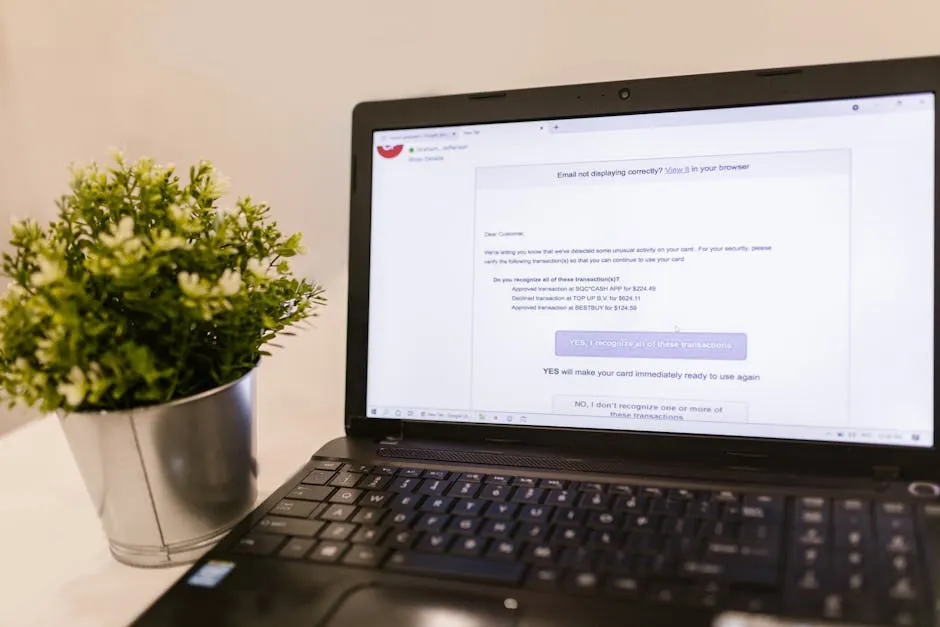
Most accountancy practices we speak to assume their email is safe because it runs on Microsoft 365. The logic is reasonable: it is a serious platform from a serious company, it filters spam, and most days nothing bad gets through. For a firm holding client tax records, payroll details and bank information, email is the front door, so it is worth asking a calmer question than “are we safe?”. The better question is “what does our email filtering actually catch, and what doesn’t it?”.
This article looks fairly at what the built-in protection in Microsoft 365 does well, where independent testing suggests it has limits, and the practical steps that turn a single filter into a layered defence. It is not an argument against Microsoft. It is an argument for not relying on any one tool to do a job this important.
Why email is the part of your practice most worth protecting
Two things make email different from the rest of your IT.
First, it is how client data leaves the building. Tax computations, payroll runs, ID documents and bank details all move through inboxes. A compromised mailbox is a confidentiality breach and a UK GDPR matter, not just an inconvenience.
Second, it is how invoice fraud arrives. The classic attack is a convincing message about changed bank details, timed to land in a genuine payment thread. For a practice, the danger is double: it can hit your own payments, and it can be aimed at your clients using information taken from your emails.
Because both the data leaving and the threat arriving travel by email, the quality of your email filtering is not a side issue. It is close to the centre of your practice’s security.
What Microsoft’s built-in protection does well
It is worth being clear and generous here, because the built-in protection genuinely does a lot.
On a typical Business Premium plan, the email protection in Microsoft 365 includes:
- Attachment scanning, including sandboxing that opens suspect files in a safe environment to see how they behave before they reach you.
- Link rewriting, so that when someone clicks a link in an email it is checked at the moment of the click, not just when the message arrived.
- Machine-learning phishing detection that looks at patterns across huge volumes of mail to flag messages that resemble known attacks.
Properly configured, that is a strong baseline. It blocks the great majority of obvious junk and a good deal of targeted phishing too. None of what follows is a suggestion that the product is broken or that you should move away from it.
Where real-world testing suggests the gaps are
The honest picture is that no filter catches everything, and the built-in protection is no exception.
In one real-world audit shared by our parent firm Dragon Digital, a tracked set of mailboxes over six months showed the built-in protection catching roughly 55% of malicious email. That figure comes from one organisation’s testing rather than a universal benchmark, so treat it as a cautious indicator rather than a law. The point it illustrates is simple: a meaningful share of malicious messages can still reach inboxes without a warning.
Two things explain most of that gap, and neither is a flaw in the product itself.
- Default settings. Many practices run on the configuration they were handed at setup rather than Microsoft’s recommended hardened settings. Protection that is already paid for is often not fully switched on.
- Single-layer reliance. Even a well-tuned filter is still one filter. Attackers test their messages against common defences before sending them, so anything that slips one layer reaches the user with no second check behind it.
So the realistic question is not “is the built-in filter good?”. It is good. The question is “is one layer the right design for something this important?”.
The practical answer: layers, not a single tool
Security people talk about defence in depth because no single control should be the only thing standing between a criminal and your client data. Applied to email, that means a handful of layers that each cover for the others.
1. Tune what you already have
Before adding anything, make sure the protection you pay for is fully configured. Moving from default settings to a hardened, recommended configuration is often the single biggest improvement, and it costs nothing extra in licensing. This is usually the first thing we check.
2. Consider a second filtering layer
Where the risk justifies it, an additional filtering service in front of or alongside the built-in protection adds a second independent check. Something that slips the first layer gets inspected again by a different engine. The cost is typically modest per user each month, far less than dealing with a single successful fraud or ransomware case.
3. Enforce multi-factor authentication
Filtering reduces what reaches the inbox. Multi-factor authentication reduces the damage when something does get through and a password is stolen, because the stolen password alone is no longer enough to log in. It is one of the highest-value controls a practice can turn on.
4. Keep link and attachment protection on
The click-time link checking and attachment sandboxing described above are only useful if they are enabled and applied to everyone. It is worth confirming they cover all mailboxes, not just some.
5. Make it easy for staff to report
People are the last layer, and a good one when supported. A simple, blame-free way to report a suspicious email means the ones that slip through get flagged quickly, and a real attack is contained in minutes rather than discovered after a payment has gone out. Practical, regular staff awareness turns your team into a sensor rather than a soft target.
What this looks like for a North Wales practice
You do not need to become an email security expert, and you certainly do not need to abandon Microsoft 365. The sensible path is to confirm the built-in protection is properly configured, add layers in proportion to the risk you carry, and keep your people informed.
That sits naturally inside ongoing managed IT support and a cyber security and Cyber Essentials approach, where email is treated as the high-value target it is rather than a box that was ticked at setup years ago.
If you are not sure which layers your practice has in place today, that is exactly the kind of thing a free Practice IT Health Check is for. We look at how your email is configured, where the gaps are, and what is worth doing first, in plain English and with no obligation.
Frequently asked questions
Does Microsoft 365 email protection catch every malicious email?
No single filter catches everything, and Microsoft would not claim otherwise. The built-in protection in Microsoft 365 does a lot of useful work: it scans attachments, rewrites links and uses machine learning to spot phishing. But in real-world testing some malicious messages still reach inboxes, which is why most security teams treat email filtering as one layer rather than a complete answer. For a practice handling client tax and payroll data, that gap is worth closing with extra controls.
How can a practice improve on the built-in email protection?
For practices on a typical Business Premium plan, the most common issue is configuration. Many tenants run on default settings rather than Microsoft's recommended hardened ones, so the protection that is already paid for is not fully switched on. The practical answer is layers: confirm the built-in settings are properly tuned, consider a second filtering layer, enforce multi-factor authentication, keep link and attachment protection on, and give staff an easy way to report suspicious emails.
Why does email security matter so much for an accountancy practice specifically?
Email is both how sensitive client data leaves the building and how invoice fraud arrives. A single convincing message about a changed bank account, landing in the right thread at the right moment, can cost a client real money and put your practice in a difficult conversation. Because January peaks mean inboxes are busy and people are rushed, strong email defences matter more in a practice than in many other businesses.
Do we need to replace Microsoft 365 to be better protected?
No. The goal is not to replace Microsoft 365 or to suggest it is weak. It is to make sure its protection is correctly configured and then add sensible layers around it. That usually means a hardened configuration, multi-factor authentication, an extra filtering layer where it is justified, and trained staff. You keep the platform you already pay for and reduce the chance that one missed email becomes a real incident.
Want this checked for your own practice?
Book a free Practice IT Health Check, a plain-English, no-obligation review of where your IT stands.
Book your free Health Check