The Silent Microsoft 365 Setting That Leaks Client Emails
How a hidden Microsoft 365 forwarding rule can quietly copy your practice's client emails to a criminal for weeks, why it goes unnoticed, and how to find and stop it.
- Security
- Microsoft 365
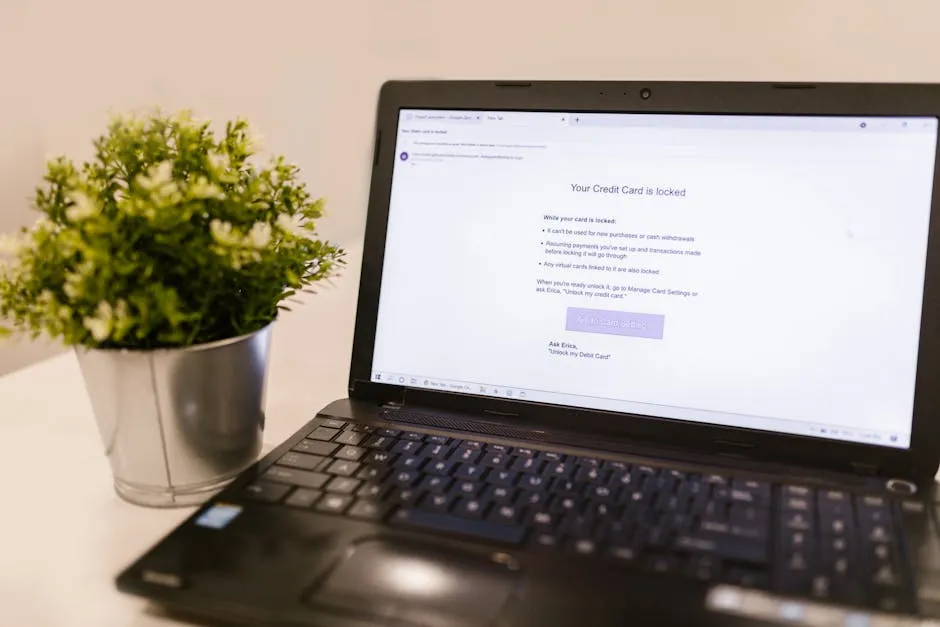
When a practice mailbox gets broken into, the alarming part isn’t always the break-in itself. It’s what a careful criminal does next: nothing loud at all. Instead of firing off obvious scam emails, they set up a quiet forwarding rule that copies every client email, tax query and invoice thread to an address they control, then they wait. For an accountancy practice, that silence is exactly what makes it dangerous.
This article explains how those rules get planted, why they go unnoticed for so long, how to audit your Microsoft 365 mailboxes for them, and the controls that stop them taking hold in the first place. It’s a different problem from the fraud itself: this is the stealth mechanism that sets the fraud up.
What a hidden forwarding rule actually does
Most people think of a mailbox compromise as something dramatic and obvious. In practice, the smartest move an intruder can make is to stay invisible.
Once they have a valid username and password, they create an inbox or forwarding rule inside the mailbox. That rule silently copies incoming mail out to an address they own. The original emails still land in your inbox exactly as they always did, so nothing looks wrong from the inside. The partner whose mailbox it is sees their normal day. Meanwhile a copy of every message is leaving the building.
For a practice, the contents of that mailbox are the whole problem. Think about what flows through a partner’s or a manager’s inbox in a single week:
- Client tax references, UTRs and personal details
- Payroll figures and bank details
- Invoices, payment requests and confirmations
- Conversations about who owes what, and when it’s being paid
A rule that copies all of that to a stranger is a serious confidentiality breach in its own right, and under UK GDPR it’s a reportable data protection incident. But it’s also something worse: a front-row seat for a criminal planning invoice fraud.
Why this is the perfect set-up for invoice fraud
The reason attackers bother with the quiet approach is patience. By reading weeks of genuine email traffic, they learn how your practice talks, who signs off payments, which clients are mid-transaction, and what a normal request looks like.
When they finally strike, they don’t guess. They time a fake message about changed bank details to land in the middle of a real conversation, in a tone that matches everything that came before. That’s far more convincing than a cold scam email, and it’s only possible because the forwarding rule gave them the script.
We’ve written separately about invoice fraud and business email compromise, which is the fraud itself. The hidden rule is the mechanism that makes that fraud land. The two go together, which is why finding and removing these rules matters so much.
Why nobody notices
Hidden rules survive precisely because they’re designed to be boring.
Attackers give them deliberately obscure names. A single full stop. A couple of repeated characters. Something that sits in the rules list and reads as a stray setting nobody wants to touch. Nothing about it shouts “delete me”.
The rules also keep running through the very steps you’d expect to fix a breach. Changing the password doesn’t remove them. Turning on multi-factor authentication doesn’t remove them. Applying updates doesn’t remove them. Those steps lock the attacker out of getting back in, which is essential, but a rule they created earlier carries on quietly until a person finds it and deletes it.
And they live in the background of a mailbox most people never look at the settings of. Finding one isn’t something that happens by accident. It takes someone deliberately pulling a report and reading it, and most practices simply never do.
How to audit your mailboxes for hidden rules
The good news is that the information is there if you go looking. An administrator can check this directly in Microsoft 365.
The clearest starting point is a report. In the Exchange admin centre, under Mailbox Reports, the Mailbox with Forward To report lists every mailbox that currently has a forward set. That gives you one place to see who is forwarding mail out, rather than checking accounts one at a time.
From there, the review is methodical rather than technical:
- Check every active rule against your current staff list. Does each forward correspond to a person and a reason you recognise?
- Look hard at any forward to a personal address such as Gmail or Hotmail. Some are genuine and agreed, but each one should be documented and reviewed, not assumed.
- Confirm that disabled or former-staff accounts have no active rules. Leavers’ mailboxes are an easy thing to forget.
- Open the inbox rules inside individual mailboxes and look for oddly named rules, or ones that forward, redirect or delete messages.
If you find a rule you can’t account for, treat the mailbox as compromised: remove the rule, reset the password, turn on multi-factor authentication if it isn’t already, and check the recent sign-in activity to understand what was accessed and for how long. Because of the GDPR angle, that last step matters, you may have a reporting duty depending on what was exposed.
The controls that stop them
Auditing finds rules that already exist. The aim is to make them far harder to plant, and far quicker to spot. A few controls do most of the work.
Block external auto-forwarding. The single most effective step is to stop mail being automatically forwarded outside your organisation at all. Microsoft now disables external auto-forwarding by default, which is a sensible position for a practice. If you have a genuine need to forward to a particular outside address, allow that one case on purpose rather than leaving the door open for everyone.
Turn on multi-factor authentication everywhere. This won’t undo an existing rule, but it’s the control that stops the stolen password being usable in the first place. No login, no rule. It’s the foundation everything else sits on.
Set up alerting for new rules. Microsoft 365 can notify an administrator when a new forwarding or inbox rule is created. That turns a problem you might find in a year into one you hear about the same day, which is the difference between a near miss and a breach.
Review rules on a schedule. Auditing forwarding rules at least once every twelve months, against your current staff roster, should be a fixed item, not something you get to when there’s time. Practices change people, mailboxes and shared accounts often enough that a yearly check is the minimum.
These sit naturally inside the everyday work of looking after a Microsoft 365 tenant. Keeping configuration tidy, accounts current and alerts switched on is exactly the sort of thing that day-to-day managed IT support is there to handle, and it’s a core part of a sensible cyber security and Cyber Essentials posture for a firm holding client data.
The takeaway for your practice
A hidden forwarding rule is a small setting with an outsized impact. It quietly turns a single stolen password into weeks of leaked client information and a ready-made plan for fraud, all without anyone in the practice seeing a thing.
The defence isn’t complicated. Block external auto-forwarding, insist on multi-factor authentication, switch on alerting for new rules, and put a yearly audit in the diary. Do those four things and you close off the quiet route that does the most damage.
If you’d like a straightforward check of where your practice stands, including whether anything is currently forwarding mail out, that’s exactly the kind of thing we cover in a free Practice IT Health Check.
Frequently asked questions
What is a hidden forwarding rule in Microsoft 365?
It's an inbox or forwarding rule that a criminal sets up inside a compromised mailbox to quietly copy or send emails out to an address they control. They give it a deliberately obscure name, often just a full stop or a few repeated characters, so it blends into the settings and the mailbox owner never notices it. The original emails still arrive in the inbox as normal, which is why it can run unnoticed for weeks.
How do I check whether our mailboxes have hidden forwarding rules?
An administrator can pull a report from the Exchange admin centre under Mailbox Reports, using the Mailbox with Forward To report, to list every mailbox with an active forward set. It's also worth opening each mailbox's own inbox rules to look for ones with odd names or rules that forward, redirect or delete messages. Because attackers hide these deliberately, a one-off glance isn't enough, you need a deliberate audit, repeated at least once a year.
Why is a forwarding rule such a serious risk for an accountancy practice?
It's two problems at once. First, it's a confidentiality breach: client tax details, payroll data and personal information are being copied to an outsider, which is a UK GDPR matter. Second, it's the perfect set-up for invoice fraud, because the criminal can read genuine threads about payments and bank details and time a convincing fake message to land at exactly the right moment.
Does enabling MFA remove forwarding rules that are already in place?
No. Turning on multi-factor authentication stops the attacker getting back in with a stolen password, which is essential, but a rule they created earlier keeps running until someone finds and deletes it. After any suspected compromise you need to review and remove the rules, reset the password and check sign-in activity, not just switch MFA on and assume the problem has gone.
Want this checked for your own practice?
Book a free Practice IT Health Check, a plain-English, no-obligation review of where your IT stands.
Book your free Health Check