Why Phishing Training Alone No Longer Protects Your Practice
Annual spot the dodgy email training was never enough, and AI-written phishing has finished it off. Why practices need layers, not just awareness.
- Security
- Phishing
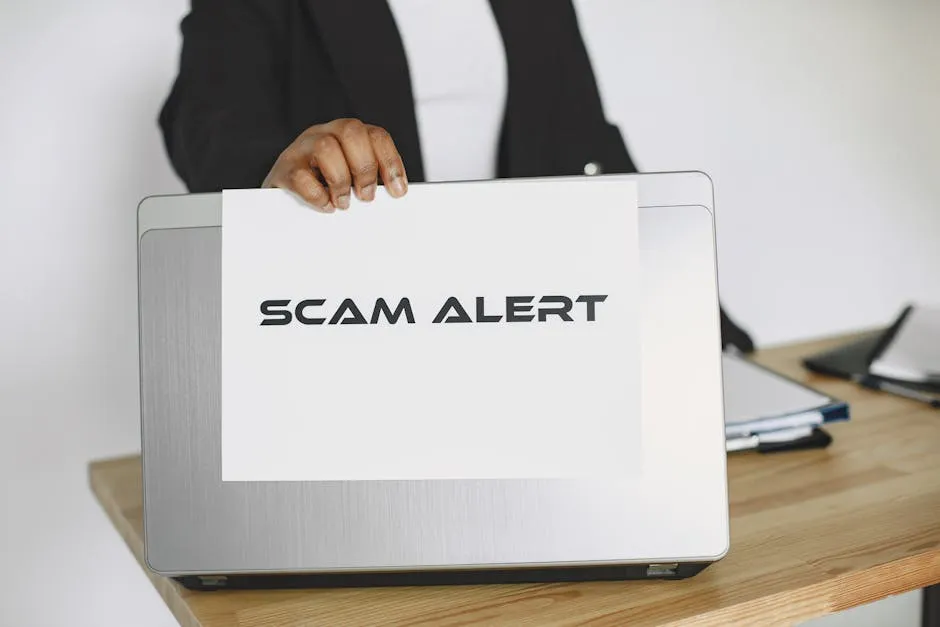
For years, the standard advice for accountancy practices was simple. Run a phishing awareness session once a year, teach people to look for typos and odd grammar, and tick the box. It was never quite enough on its own, but it gave practices a baseline and something to point to when a client or insurer asked about security.
That approach has now run out of road, and the reason is straightforward. The “spot the dodgy email” tells that training relied on have largely disappeared.
The old advice rested on bad spelling
Think back to the phishing emails of a few years ago. They were often easy to laugh off: clumsy grammar, a strange greeting, a sender address that did not quite match, a logo slightly out of shape. Training your team to look for those signs worked reasonably well, because the signs were genuinely there.
The trouble is that the entire method depended on criminals being careless writers. Take that away, and “read it carefully and trust your gut” stops being a defence at all.
AI has finished off the old tells
AI writing tools have removed the giveaways. A criminal no longer needs good English or much effort to produce a clean, professional, convincing message. Worse, these emails can now be personalised. They can reference a real client, a live deadline, a recent invoice or a project your team genuinely recognises.
The effect is measurable in how people experience it. Research summarised by our parent group found that nearly three quarters of workers say phishing attempts feel more convincing than they did a year ago, largely because of AI-generated language.
For a practice, picture the email that lands during the January self-assessment crunch:
- A note that looks like it is from HMRC about an agent deadline.
- A message that appears to come from a known client asking you to action a payment.
- An invoice from a supplier you actually use, with a small change to the bank details.
None of these will have a tell-tale typo any more. They will read exactly like the real thing.
The problem was never that your staff are careless
It is tempting to respond to all this by training harder, as if clicking is a knowledge gap. The evidence points elsewhere. When researchers asked why people fall for phishing, the largest group, more than half, pointed to rushing between tasks. Only a small minority, around seven per cent, said the real problem was not knowing how to identify a phishing attempt.
Read that again, because it reframes everything. People do not usually click because they cannot recognise a scam in calm conditions. They click because they are moving fast, juggling deadlines, and processing a full inbox.
That describes an accountancy practice almost perfectly, and never more so than in January. An accountant fielding client calls with a payment approval to action before the end of the day is not going to forensically examine every message. A convincing email in that moment will get clicked, and the person who clicks it is doing their job well, not badly.
So the honest conclusion is this: blame the conditions, not the colleague. A defence that only works when people are unhurried and suspicious is not a defence you can rely on in a busy practice.
The fix is layers, not lectures
If a single click can no longer be prevented by training alone, then the goal has to change. Instead of trying to make sure no one ever clicks, you build things so that one click is not game over. That means technical controls working alongside a healthy awareness culture, each covering for the other’s limits.
Here is what that looks like in practice.
Multi-factor authentication on everything
MFA is the highest-value control you can put in place. Even if someone enters their password on a fake login page, the criminal still cannot get in without the second factor. It turns a stolen password from a disaster into a near miss. Every account that touches email, your practice software or client data should have it, with no exceptions for partners or “just this one” logins.
Email filtering and link protection
Good filtering stops a large share of malicious messages before anyone sees them, so your team is not relying on judgement for emails that should never have arrived. Link protection checks where a link actually goes at the moment it is clicked, which catches the convincing message that slips through. We cover the email-side controls in more depth in our guide to layered email security.
Least privilege
The principle of least privilege means each person can reach only what their role needs, and no more. If an account is compromised, the damage is contained to that person’s access rather than your whole system. For a practice holding sensitive client data, this is one of the quietest but most important protections you have.
Prompt patching and good basics
Keeping systems and software up to date closes the doors that criminals rely on after a click. None of this is glamorous, but it is the difference between an incident that is contained and one that spreads. These controls are the backbone of our managed IT support, and they map directly onto what Cyber Essentials asks of a firm.
Keep the human layer, but change its job
Awareness training still has a place. The point is to change what you ask of it. Instead of expecting people to be a human spam filter, use it to build a culture where checking is normal and welcomed.
That means a few practical habits:
- Make it genuinely safe to pause and verify, even when the email looks urgent and senior.
- Verify high-stakes requests, such as a change of bank details or a payment, by calling back on a number you already hold, never one from the email.
- Treat out-of-hours urgency as a reason to slow down, not speed up, because pressure is exactly what these messages are designed to exploit.
Crucially, nobody should ever be made to feel foolish for reporting a click, or for double-checking something that turned out to be genuine. The practices that stay safe are the ones where flagging a suspicious email is routine, not embarrassing. This is closely tied to defending against invoice fraud and business email compromise, where the same calm verification habits do most of the work.
Where this leaves your practice
The takeaway is not that training was a waste, or that your team is the weak link. It is that the ground has shifted. AI has removed the clues the old advice depended on, and the real cause of clicks was always pressure and pace rather than ignorance.
A practice that pairs a sensible awareness culture with solid technical controls, MFA, email filtering, link protection and least privilege, is in a genuinely different position. One click stops being a catastrophe and becomes a contained, recoverable event.
If you are not sure how your current setup would hold up against a convincing, AI-written email arriving in the middle of January, that is exactly the kind of thing our free Practice IT Health Check is designed to look at. It is a plain-English review of where your defences are strong and where a single click could still do real harm.
Frequently asked questions
Should we stop doing phishing awareness training?
No. Awareness still matters, it sets a baseline and builds a culture where people feel safe to pause and check. The change is that training can no longer be your main defence. It needs to sit alongside technical controls like MFA, email filtering and least privilege, so a single click in a busy moment is not the end of the story.
Why is AI-written phishing harder for staff to spot?
The old tells, clumsy grammar, obvious typos and odd phrasing, are largely gone. AI lets criminals write clean, well worded, personalised emails that reference real clients, deadlines or invoices. An email about an HMRC deadline or a client's account can now read exactly like the genuine article, which is why spotting fakes by eye is no longer reliable.
What technical controls make the biggest difference for a small practice?
Multi-factor authentication on every account is the single highest-value step, because it stops a stolen password from becoming a break-in. Add good email filtering and link protection, the principle of least privilege so each person can only reach what they need, and prompt patching. Together these mean one wrong click rarely becomes a serious incident.
Is January really a higher-risk time for phishing?
Yes. During the self-assessment peak your team is moving quickly between client deadlines, and a convincing email about a return, a payment or HMRC lands in exactly the wrong moment. The risk is not that staff are careless, it is that pressure and volume make a plausible message easy to act on without a second look.
Want this checked for your own practice?
Book a free Practice IT Health Check, a plain-English, no-obligation review of where your IT stands.
Book your free Health Check